
What if we could take the designs provided to us by our clients and instead of spending hours measuring spacing, and recreating layouts pixel by pixel, we could use AI tooling, and skip the manual translation entirely?
Using Claude Code’s Figma integration, we decided to try exactly that.
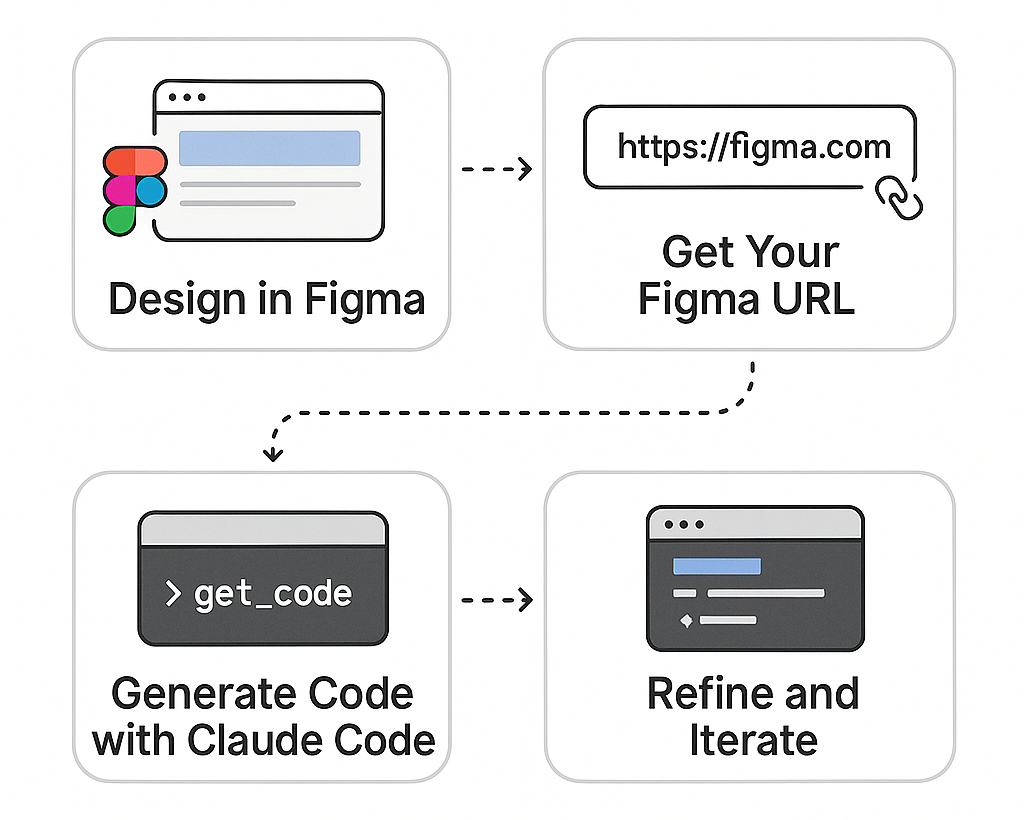
Claude Code connects directly to Figma through the Model Context Protocol (MCP), allowing it to read your design files and generate functional code automatically. Here's the typical workflow:
Create your website design in Figma as you normally would. Design your pages, components, and interactions using Figma's familiar interface.
Open your design in Figma and copy the URL. It should look something like:
https://figma.com/design/abc123/MyWebsite?node-id=1-2
In your terminal, paste your Figma URL and ask Claude Code to implement the component:
> https://figma.com/design/abc123/MyWebsite?node-id=1-2
> get_code can you implement the button component from the designs?
The get_code command tells Claude Code to fetch the design context from Figma, then it will:
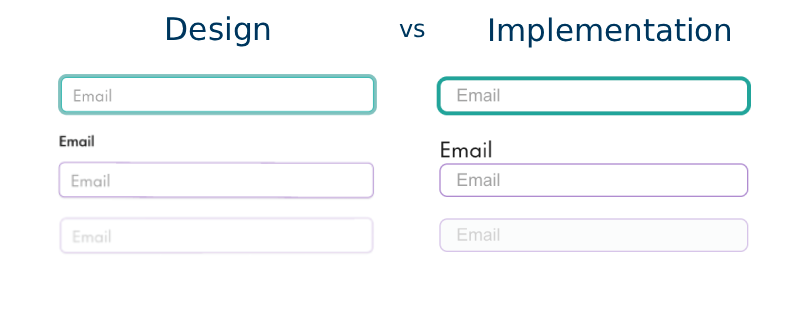
Review the generated component, and make any adjustments. You can iterate directly with Claude Code:
> That button component doesn't have the same padding as the designs, could you use the padding specified in the designs
> the designs have the background colour as <variable-name> could you alter the component to use that variable
Claude Code will adjust the implementation to match your Figma design specifications exactly. Claude Code understands your existing codebase context, so it can match your coding style, use your design system, and integrate with your component library. Once satisfied, integrate the component into your project.
Let's say you've designed a hero section in Figma. Instead of manually coding:
.hero { padding: 80px 24px; background: linear-gradient(135deg, #667eea 0%, #764ba2 100%); }
You simply provide the Figma URL, and Claude Code generates the complete component with:
If you're using a design system, Claude Code can map Figma components to your existing component library:
> Use our Button component from components/ui/Button.tsx when generating code from this Figma design
Claude Code can generate components with interactive states:
> get_code can you update the Navigation Menu component to have an open and closed state for each menu item and make it reflect this design?
The generated code will include proper state management and transitions matching your Figma prototypes.
Building a multi-page website? Claude Code can process entire page designs:
> Generate components for all pages in this Figma file: https://figma.com/design/abc123/MyWebsite
Claude Code analyses your Figma frames and auto-generates responsive CSS with appropriate breakpoints, ensuring your site looks great on all devices.
Claude Code automatically extracts and uses Figma variables (colours, spacing, typography) to ensure perfect consistency:
accent-75, background, borderSpeed: What used to take hours now takes minutes. Generate multiple components in a single conversation.
Accuracy: Extract exact values from Figma variables. No more guessing if that padding is 16px or 20px, or which shade of blue to use.
Iteration: Catch design discrepancies immediately. Claude Code can compare generated code against design specs and fix mismatches on the fly.
Consistency: Maintain perfect design-code consistency across your entire website by using Figma variables as the single source of truth.
The Figma-to-code workflow eliminates much of the manual translation work between design and implementation. By automating the extraction of design tokens and component structure, you can focus more on building features and less on pixel-pushing.
This approach works particularly well for:
The tooling still requires iteration—you'll often need to refine spacing, colours, or component structure—but it significantly reduces the initial implementation time and helps catch discrepancies early.



 read previous